



Best Practices for Structuring a Laravel + Vue Application
The log term success working with Vue.js is the creation of a maintainable and scalable application. As your business app grows, it’s important to implement patterns and practices that keep your codebase predictable, efficient, and enjoyable to work with. Today, the Intactdia team will indicate top practices and tools to look at while building large-scale Vue.js applications.
Focus On Predictability Through Standards

Predictable codebases are easier to navigate and maintain. The Vue.js community provides an excellent starting point with the official style guide that you can use for your app development. Following conventions such as PascalCase for component names, prefixing reusable components with Base or App, and using multi-word component names helps avoid conflicts with HTML elements.
Example:
<script setup>
// Use PascalCase and meaningful prefixes
import BaseButton from ‘@/components/BaseButton.vue’;
</script>
<template>
<BaseButton label=”Submit” />
</template>
Polish Your IDE Workflow
Your development environment is a game-changing factor. Start by installing Volar (superior support for Vue 3) for Vue-specific support, configure ESLint and Prettier (automatic formatting and error detection) for consistent linting and formatting, and enable auto-save formatting.
Example: ESLint Setup
{ “extends”: [“plugin:vue/vue3-recommended”, “eslint:recommended”],
“rules”: {
“vue/multi-word-component-names”: “off”
}
}
With TypeScript, you can catch errors directly in your business IDE and enjoy advanced autocomplete capabilities.
Double Check File Structure Conventions
With logical and consistent file structure the navigation reduces onboarding time for new developers. Nuxt.js provides a fantastic starting point with conventions for auto-importing components, pages, and composables.
Recommended Pattern:
- Global Components: Place in components/
- Page-Specific Components: Nest within the relevant page’s directory.
Example:
src/
pages/
dashboard/
Dashboard.vue
components/
StatsCard.vue
Establish Route Naming Conventions
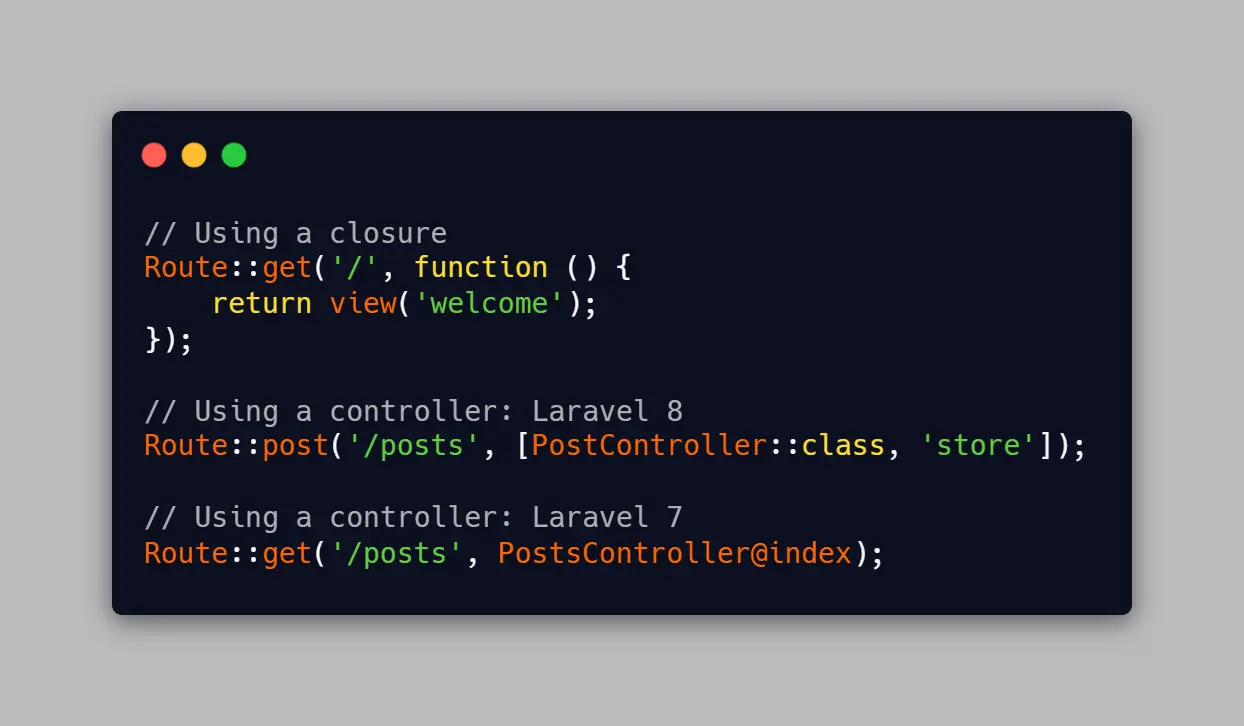
You need to organize the routes by adopting consistent patterns. For CRUD operations, mimic Laravel’s resource-based conventions for clarity and simplicity.
Example:
const routes = [
{ path: ‘/posts’, component: PostList },
{ path: ‘/posts/create’, component: PostCreate },
{ path: ‘/posts/:id’, component: PostView },
{ path: ‘/posts/:id/edit’, component: PostEdit },
];
With that you will keep routes intuitive and reflect common database actions.
Wrap Third-Party Code
It is very important to cut dependencies in utility functions or classes, which minimizes the risk of lock-in and allows for easier replacements if a library becomes obsolete or problematic.
Example:
import axios from ‘axios’;
export const httpClient = {
get(url, config) {
return axios.get(url, config);
},
post(url, data, config) {
return axios.post(url, data, config);
}
};
Leverage SDKs for Backend Interaction
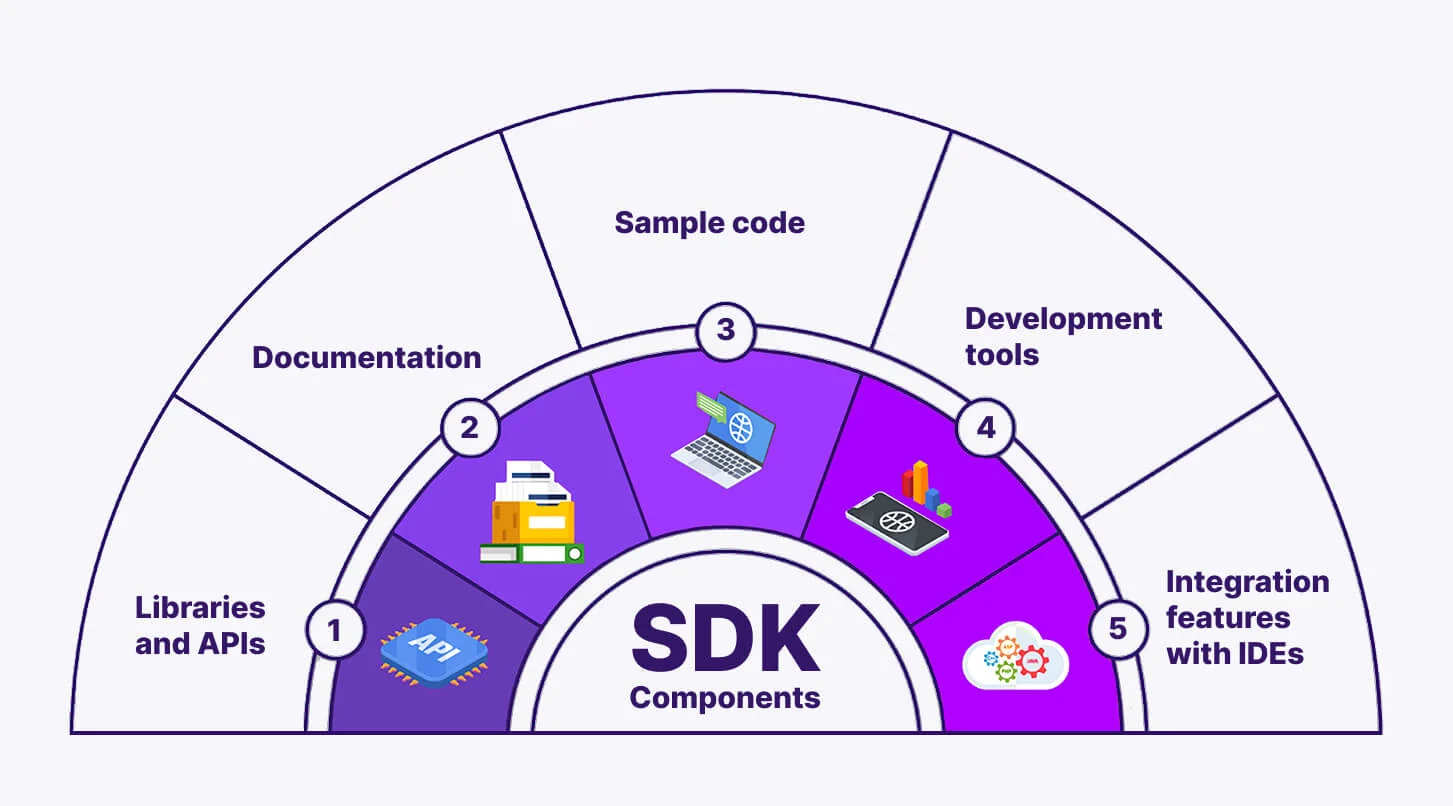
Try to use backend-provided SDKs or create custom ones for cleaner, type-safe interactions with your API. This approach reduces boilerplate code and provides data normalization opportunities.
Example:
import { createClient } from ‘@supabase/supabase-js’;
const supabase = createClient(‘your-supabase-url’, ‘your-supabase-key’);
export const fetchPosts = async () => {
const { data, error } = await supabase.from(‘posts’).select(‘*’);
if (error) throw new Error(error.message);
return data;
};
Using tools like Supabase, you can even generate TypeScript types directly from your database schema.
Prefer the Composition API for your online business
The Composition API provides flexibility and modularity, making it ideal for large-scale apps. It will simplify code organization and enable easy reuse of logic through composables.
Example:
<script setup>
import { ref } from ‘vue’;
const count = ref(0);
const increment = () => count.value++;
</script>
<template>
<button @click=”increment”>{{ count }}</button>
</template>
Composables can house reusable logic:
// useCounter.js
import { ref } from ‘vue’;
export const useCounter = () => {
const count = ref(0);
const increment = () => count.value++;
return { count, increment };
};
Maintaining a scalable and enjoyable Vue.js app boils down to adopting predictable patterns, leveraging modern tools, and fostering consistency. And these suggested tips will ensure your codebase remains a pleasure to work on, no matter how large it grows as your business grows.